Goldbug Software







Find duplicate contacts by sort function
Our AddressBook Apps: AddressBook Aid2, vCard Editor2, Second Contact2 have a sort function.
It is the best way to find duplicate contacts or data in your contacts.
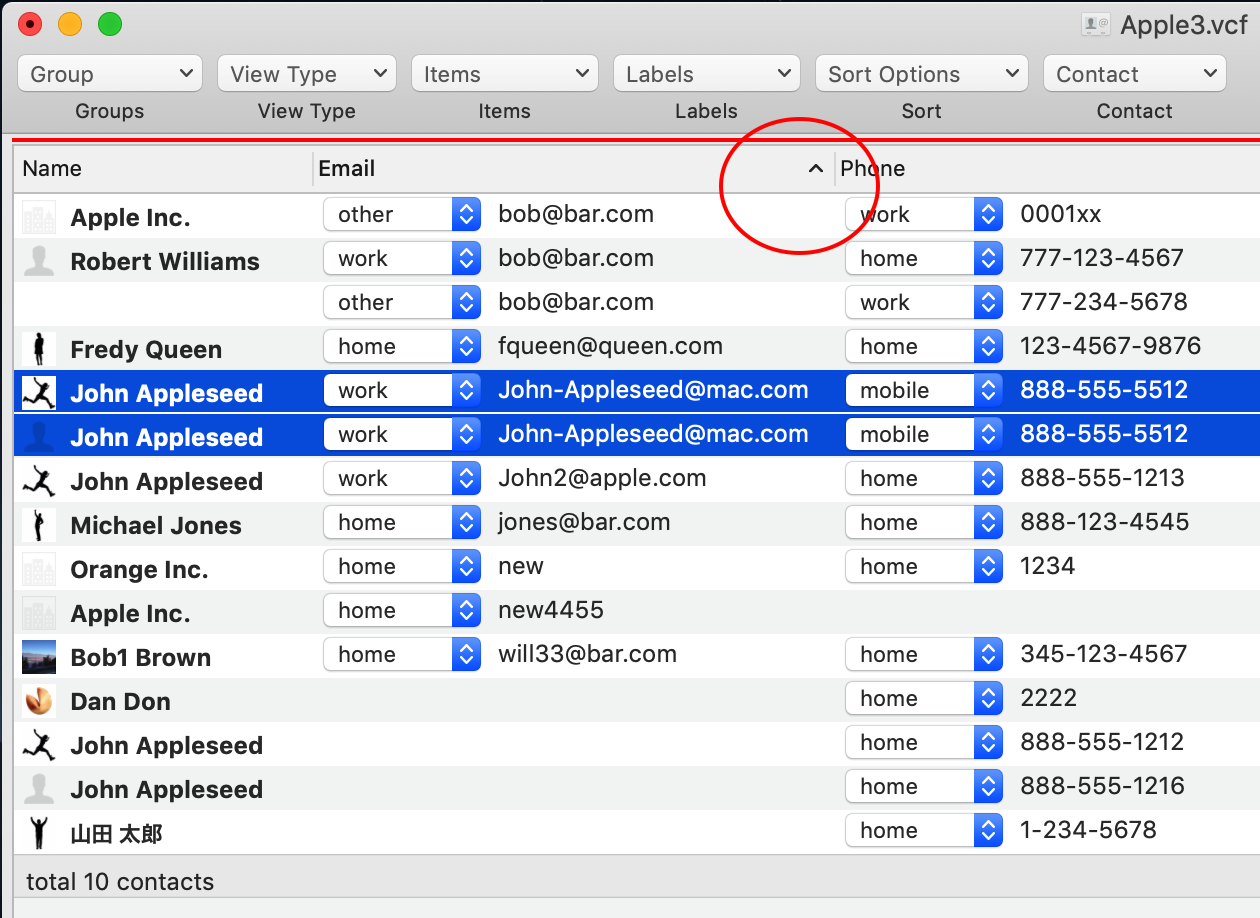
To sort the Name column, click the column header in the Name column. The small hat shows the way of sorting:ascending or descending.
When a contact has several labeled values, it is shown by the multiple lines. The name cell of thesecond and upper lines of the contact will be empty.
If the name is not empty, it means the contact is duplicate contact.
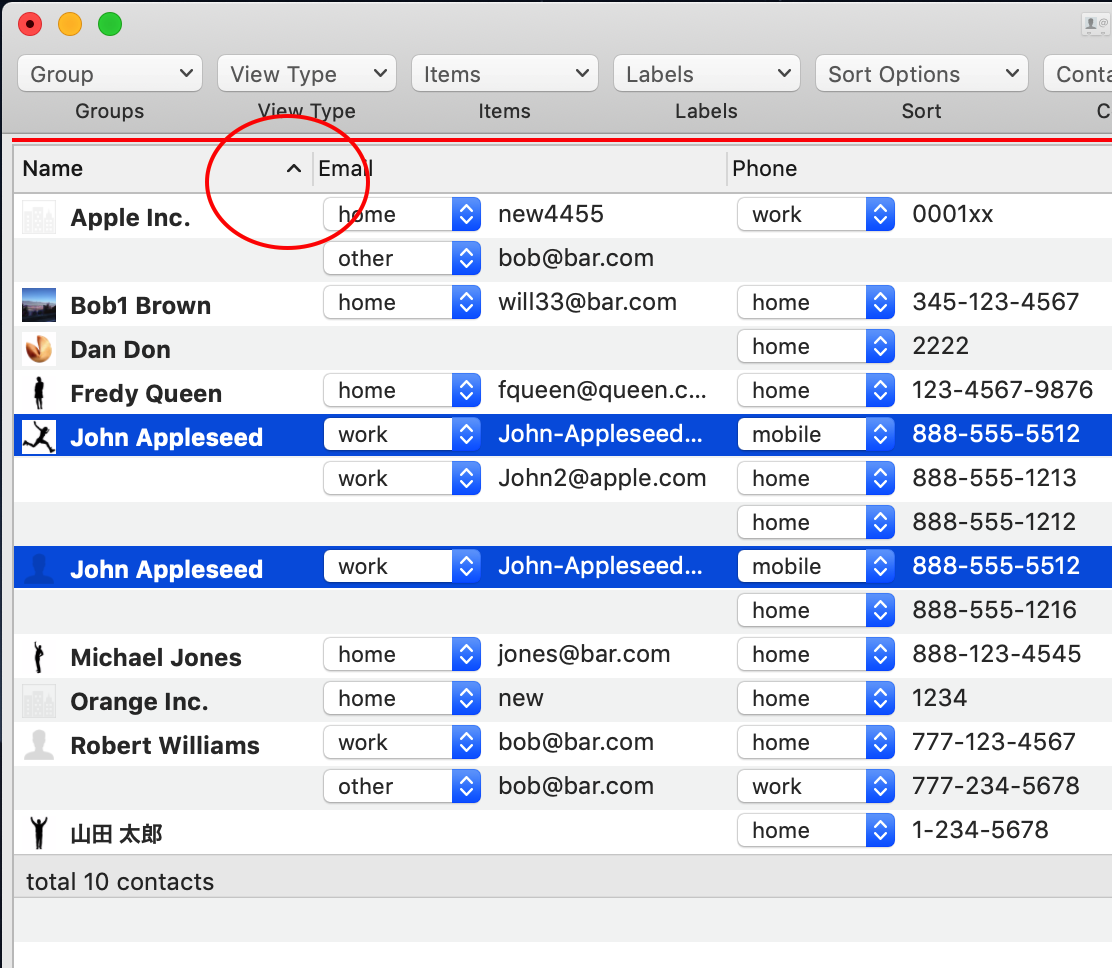
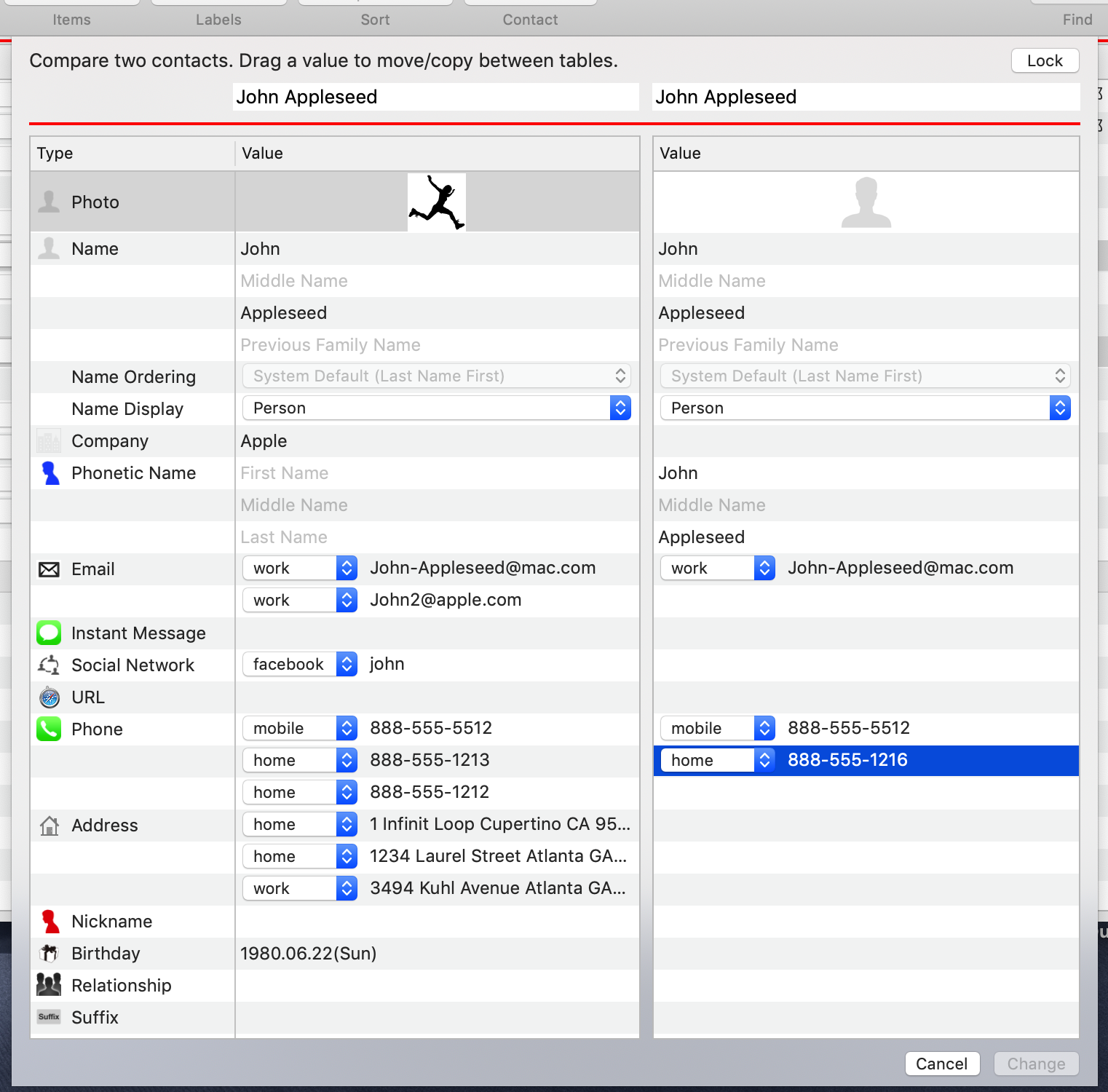
Select those two contacts, then select the "Compare two contacts" menu in the format menu. Those will be shown in vertical order in the panel for comparing the two contacts.
When the mode is editing, you can move or copy any date in the panel by dragging it.
To delete unnecessary contacts, select the contact in the table, then the select the "Delete contacts" menu in the Contact menu in the Navigate menu, or select the "Delete contacts" menu in the contact button in the toolbar.
You can undo/redo the operation by the "Undo/Redo" menu in the edit menu until you save the contacts.
And you can find duplicate data such as Email, Phone by sorting in those column too.